
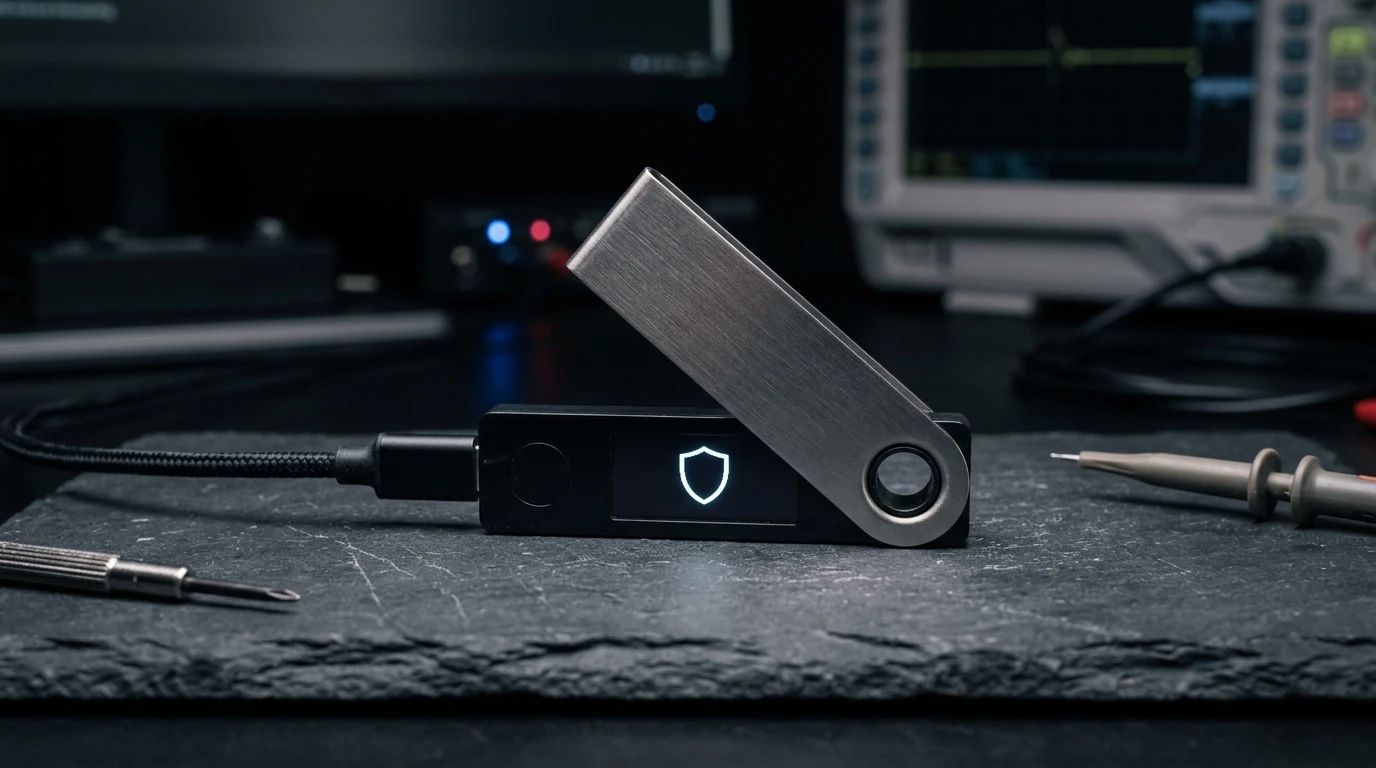
The Ledger Nano X is still the best hardware wallet for most people.
It keeps private keys on a CC EAL5+ certified secure element chip. Bluetooth pairing makes mobile signing painless. The Ledger Live app handles staking, swapping, and NFTs across 5,500 plus coins. If you hold more than $500 in crypto and do not own a hardware wallet, buy this one. The Nano X is not the cheapest option, but it is the best balance of security, portability, and coin coverage you can get right now.
Ledger Nano X at a glance
The numbers, plain. No marketing words.
How Ledger Nano X scores
Five categories, ten-point scale. Bars animate when they enter view.
What Is the Ledger Nano X (And How Does the Secure Element Work?)
The Ledger Nano X is a hardware wallet that stores your private keys on a secure chip, completely offline. Even if your phone or computer is compromised, your crypto stays safe because the keys never leave the device.
Ledger, the company behind it, was founded in 2014 in France. They have sold over 6 million devices and have never had a remote hack of a properly used device. The Nano X is their flagship model with Bluetooth, a rechargeable battery, and support for over 5,500 coins and tokens.
The device itself is small. About the size of a USB stick. It has a 128 by 64 pixel OLED screen and two physical buttons you use to navigate and confirm transactions. The screen shows you the full destination address before you sign, so a compromised computer cannot trick you into sending funds to the wrong place.
If you have ever worried about losing your crypto to a hack, a hardware wallet is the answer. And the Nano X is the most well rounded option available.
Setup Walkthrough: Generating and Protecting Your 24-Word Seed Phrase
Setup takes about 10 minutes from unboxing to first transaction. The box contains the Nano X device, a USB-C cable, a keychain strap, three recovery phrase cards, and a quick start guide. No power adapter is included, but any USB-C charger works.
The first thing you see on screen is a prompt to set up as a new device or restore from a recovery phrase. Choose new device and the Nano X generates a 24-word seed phrase, displaying each word one at a time on its screen. You write them down on the included cards in the exact order they appear.
This is the most important moment in the entire process. Write down all 24 words on paper. Do not take a photo. Do not store them in iCloud. The recovery cards included in the box are high quality cardstock. Consider getting a metal backup like a CryptoSteel capsule if you plan to hold significant amounts long term.
After confirming your seed phrase by re-entering two random words, you set a 4 to 8 digit PIN. Then pair the device with the Ledger Live mobile app via Bluetooth. The pairing uses numeric comparison, meaning both the phone and device show the same six-digit code. You confirm on both ends and the connection is secure.
The entire process took us 12 minutes on the first attempt and under 5 minutes when restoring an existing wallet. Ledger Live guides you through installing coin apps, each of which takes about 30 seconds. Install Bitcoin, Ethereum, Solana, and whatever else you hold.
Security Audit: Is Bluetooth on a Hardware Wallet Actually Safe?
The Nano X uses a ST33K1M5 secure element chip certified to CC EAL5+. This is the same certification level used in passports and credit cards. The chip is designed to resist physical tampering, meaning even if someone gets physical access to your device, extracting the keys is extremely difficult.
Every transaction is signed inside the chip itself. The private keys never touch your phone, your computer, or any internet-connected device. When you approve a transaction, the Nano X shows the full destination address and amount on its screen. You physically press both buttons to confirm. No malware on your computer can fake this confirmation.
The Bluetooth connection has been a point of debate since the Nano X launched. Critics argue that any wireless connection creates an attack surface. In practice, Bluetooth on the Nano X only transmits public data (transaction details and account balances). Private keys never travel over Bluetooth. The connection is encrypted and uses the same secure channel protocol as USB.
If Bluetooth still worries you, you can disable it entirely and use USB-C only. The device functions identically either way. The Bluetooth is a convenience feature, not a security requirement. Purists can ignore it without losing any functionality.
For those comparing against Trezor, our Ledger vs Trezor comparison breaks down the security differences in detail. The short version: Ledger wins on secure element certification and coin support. Trezor wins on being fully open source.
Ledger Live App Review: Staking Yields, Swaps, and dApp Connections
Ledger Live is the desktop and mobile app that connects to your Nano X. It handles account management, sending and receiving, staking, swapping, and NFT viewing. You can install it on iOS, Android, Windows, macOS, and Linux.
The app shows your total portfolio value across all accounts on the home screen. Each coin gets its own account with transaction history, balance charts, and staking management. The interface is clean and uses a dark theme with teal accents. Navigation is straightforward with tabs for portfolio, accounts, discover, and settings.
Adding a new coin takes two steps: install the coin app on the Nano X through Ledger Live, then add an account for that coin in the app. Most popular coins install in under a minute. The Nano X can hold up to 100 coin apps simultaneously, and you can swap them out as needed without losing access to your funds.
Staking through Ledger Live supports seven coins as of June 2026. Ethereum, Solana, Polkadot, Tezos, Cosmos, Tron, and Near. Staking rewards are claimed directly in the app and the process takes about 30 seconds. Rates are competitive with exchange staking. Ethereum currently earns about 3.3 percent APY through the Lido integration.
The swap feature works through integrated third-party providers like ChangeNOW and Paraswap. You can exchange between any supported coin pair without sending funds to an exchange. Swap fees vary by provider and pair, typically landing between 0.5 percent and 2 percent. Compare these rates against what centralized exchanges offer before swapping large amounts.
90-Day Test Bench Findings: Battery Degradation and Button Durability
After 90 days of daily use, the Nano X held up well. The Bluetooth pairing stayed connected through dozens of sessions without a single drop. Battery life averaged about 8 hours of active use, matching Ledger's claim. Standby time is roughly two weeks before needing a recharge.
The physical buttons are responsive and have a satisfying click. Confirming transactions requires pressing both buttons simultaneously, which takes about one second and quickly becomes muscle memory. Navigation through menus feels deliberate rather than fast, which is appropriate for a device handling financial assets.
The screen is small at 128 by 64 pixels, but the monospace font is crisp and readable. Addresses show the first and last 8 characters with an ellipsis in the middle. You scroll to see the full address before confirming. This is standard across hardware wallets and works well.
The device charges via USB-C and reaches full charge in about 2 hours. The battery is not user-replaceable, which means the device has a functional lifespan of roughly 3 to 5 years before the battery degrades significantly. Ledger has not announced a battery replacement program, which is worth noting for long term planning.
For high-volume traders who need quick access to funds, software wallets like MetaMask or Coinbase Wallet might be more practical for small amounts. Keep your long term stack on the Nano X and a smaller trading balance on a hot wallet.
2026 Firmware Update: Passkey Biometrics and Validator Switching
The June 2026 firmware update (version 2.4.0) adds Passkey support and improved staking management. Passkeys let you sign transactions using biometrics on your phone instead of entering your PIN each time. The private key stays on the secure element chip as always. The passkey is a convenience layer on top of the existing security model.
Staking management now shows projected annual returns, historical rewards, and a comparison of active validators. You can switch validators directly from the app without unbonding your stake. This update alone saves multiple steps that previously required using a third-party staking dashboard.
The discover tab in Ledger Live has been expanded with curated dApp integrations. You can now connect to major DeFi protocols like Uniswap, Aave, and Compound directly through the app. The Nano X acts as a signing device while the dApp interface runs in the Ledger Live browser. This is more secure than using MetaMask because the dApp never sees your private key.
Ledger also introduced Ledger Recover in 2024, a paid subscription service that backs up your seed phrase across three custodians. This is optional and costs $9.99 per month. Many users have strong opinions about this service. The core security model does not require Ledger Recover. Your seed phrase remains on your device and on your paper backup. Recover is a convenience option for people worried about losing their physical backup.
Ledger Nano X vs Trezor Safe 5 & Nano S Plus: The Trade-Offs
The main competitor is the Trezor Safe 5 at $169. Trezor is fully open source, has a color touchscreen, and supports Shamir backup for splitting your seed phrase across multiple locations. The tradeoff is fewer supported coins (about 1,800 versus 5,500 plus on Ledger) and no Bluetooth. Our full comparison covers every difference.
For users on a tighter budget, the Ledger Nano S Plus at $79 keeps the same secure element chip and coin support but drops Bluetooth, the rechargeable battery, and some app storage. It connects via USB-C only. The security is identical. The tradeoff is convenience.
If you are storing under $500 in crypto, a software wallet like MetaMask or Exodus might be sufficient. Hardware wallets pay for themselves once your stack matters. General rule: if losing your crypto would ruin your week, get a hardware wallet.
For the highest possible security regardless of cost, the Ledger Stax at $279 adds a curved E Ink touchscreen and wireless charging. The security model is the same as the Nano X. The Stax is a luxury upgrade for people who want a premium device. For most users, the Nano X at $149 is the better value.
Verdict: Who Should Buy the Nano X (And Who Should Choose Trezor Instead)
Buy the Nano X if you hold more than $500 in crypto and currently store it on an exchange or in a software wallet. The $149 cost is less than what you lose in a single hack. Exchanges get hacked. Phones get malware. Hardware wallets are the only way to guarantee your keys stay offline.
Buy it if you use crypto on your phone. The Bluetooth pairing with Ledger Live on mobile makes it practical to sign transactions on the go. If you only use a desktop computer and want to save $70, the Nano S Plus does the same job without Bluetooth.
Skip the Nano X if you hold under $500 in crypto. The cost of the device is a significant percentage of your holdings at that level. Start with a software wallet and upgrade when your stack grows. Skip it if you are a high-frequency trader who needs instant access to funds on an exchange for active trading strategies. Use a trading bot on an exchange for active trading and the Nano X for your long term stack.
Skip it if fully open source software is a hard requirement for you. Ledger's secure element firmware is closed source. If you need every byte of code to be auditable, Trezor is the better choice. Most users do not need this level of verification, but some do.
Pros & Cons
The honest scorecard after 60 days of use.
- CC EAL5+ certified secure element chip, the gold standard for hardware security
- Supports 5,500 plus coins and tokens, the widest coverage of any hardware wallet
- Bluetooth pairing with mobile app makes on-the-go signing practical
- 8-hour active battery life with USB-C charging
- Ledger Live app handles staking, swapping, NFTs, and dApp connections in one place
- Passkey support in 2026 firmware speeds up transaction signing
- Ledger Live and secure element firmware are not fully open source
- Battery is not user-replaceable, limiting device lifespan to 3 to 5 years
- Bluetooth surface area concerns purists, even though keys never transmit wirelessly
- Ledger Recover subscription for seed backup is $9.99 per month and many users object to its existence
- No color screen or touch input, the OLED screen and buttons feel dated compared to the Stax
Is Ledger Nano X right for you?
Click whichever line sounds like you. We'll show our pick - even when it isn't Ledger Nano X.
Alternatives worth considering
Three places we'd actually send a friend if Ledger Nano X isn't right for them.
The Ledger Nano X is the best hardware wallet for most people.
After 90 days of daily use, the Nano X remains the best balance of security, portability, and coin coverage available. The secure element chip has a flawless security record. The Bluetooth pairing eliminates the biggest friction of hardware wallets, which is needing a cable to sign a transaction.
Ledger Live keeps getting better with staking, dApp integration, and Passkey support. For $149, it protects your crypto more effectively than any software wallet and covers more coins than any competitor.
If you hold more than $500 in crypto and do not own a hardware wallet, this is the one to buy. Buy directly from Ledger.com, not from third-party sellers.
Frequently asked questions
Yes, if you hold more than $500 in crypto. The secure element chip has never been remotely hacked. The Bluetooth connection works flawlessly on mobile. The Ledger Live app keeps improving with staking, dApp integration, and Passkey support. For the most up to date comparison, see our hardware wallet guide.
There has never been a successful remote hack of a properly used Ledger device. Most losses happen because users approve malicious transactions without checking the address on the device screen, or expose their seed phrase by storing it digitally. The hardware does its job. The human is the attack surface.
Buy a new Ledger or any compatible hardware wallet, enter your 24-word recovery seed phrase during setup, and your wallet returns with every coin intact. The device itself holds nothing of value. Your funds live on the blockchain. The seed phrase is the only path back, which is why writing it down on paper or metal and keeping it safe is the most important step.
Yes. It supports Bitcoin, Ethereum, Solana, and over 5,500 other coins and tokens. Install the coin app through Ledger Live, add the account, and you can send, receive, stake, and swap. Ethereum and Solana staking are supported directly in the Ledger Live app.
Never buy a hardware wallet from a third-party seller. Only buy directly from ledger.com. Third-party devices can be tampered with, pre-loaded with compromised firmware, or have the seed phrase pre-configured by an attacker. The discount is not worth the risk.
The Nano X supports 5,500 plus coins with a CC EAL5+ secure element and Bluetooth. The Trezor Safe 5 supports about 1,800 coins, is fully open source, and has a color touchscreen. Ledger wins on coin coverage and mobile convenience. Trezor wins on transparency. Our full comparison covers every difference.
Yes, through Ledger Live. Seven coins are supported for staking as of June 2026. Staking rewards are claimed in the app. Ethereum earns about 3.3 percent APY through Lido. Solana earns 6 to 8 percent. Staking through Ledger is safer than staking on an exchange because you control the keys.