Ledger vs Trezor: Which Hardware Wallet Wins?

Two of the most trusted names in cold storage — head to head. We put Ledger and Trezor through security, coin support, ease of use, pricing, and software.

TL;DR.

Ledger is the market leader with a polished app (Ledger Live), a certified secure element chip, and support for 5,500+ coins. It is the best pick for most users — especially those who want a smooth experience and broad altcoin support.

Trezor is the open-source champion. Its firmware is fully transparent, and its Bitcoin-native focus appeals to privacy-conscious users. It supports 1,300+ coins and has a strong reputation in the Bitcoin community.

Detailed comparison.

Security

Ledger uses a CC EAL5+ certified secure element (ST33K1M5) that isolates private key operations in dedicated hardware. This is the same class of chip used in passports and payment cards. The secure element makes physical extraction attacks exponentially harder. Ledger also offers Ledger Recover, an optional key backup service for users who want seed phrase recovery.

Trezor uses a general-purpose ARM microcontroller with fully open-source firmware. While it lacks a dedicated secure element, its transparent codebase means anyone can audit the software. The trade-off: more attack surface in exchange for verifiable trust. Trezor has never been physically compromised in a real-world attack, though researchers have demonstrated sophisticated side-channel attacks in lab conditions.

Supported coins

Ledger supports 5,500+ coins and tokens via Ledger Live, including every major chain (Bitcoin, Ethereum, Solana, Cardano, Polkadot, Avalanche, Cosmos, and more). It is the best option if you hold diverse altcoins or frequently explore new chains.

Trezor supports 1,300+ coins through Trezor Suite, covering all major assets but with narrower long-tail altcoin support. Trezor has a particularly strong Bitcoin focus — its native SegWit and Taproot implementation is excellent.

Ease of use

Ledger offers the most polished experience with Ledger Live — a desktop and mobile app that handles device setup, app installation, portfolio tracking, buying/selling via partners, and staking. The mobile app is particularly well-designed for on-the-go transactions.

Trezor uses Trezor Suite, a clean desktop and web app. The interface is functional and well-organized but lacks some of the polish and depth of Ledger Live. Users who value simplicity and aesthetic design will prefer Ledger; those who want a no-nonsense, straightforward interface will be happy with Trezor.

Price

Both brands offer multiple models at similar price points. Ledger tends to be slightly cheaper for entry-level models, while top-end models are comparable. The real cost difference is marginal for most users — the more important decision is ecosystem preference.

Software experience

Ledger Live is a full-featured desktop and mobile application. You can manage your portfolio, install/uninstall blockchain apps (each chain needs its own app due to the secure element's limited memory), stake coins, buy/sell through partners, and use swap services — all from one interface.

Trezor Suite covers the essentials: send/receive, portfolio view, buy/sell/exchange via partners. It is lighter than Ledger Live and does not require installing per-chain apps — all coins are available at once. The trade-off is a feature set that, while complete, is less extensive.

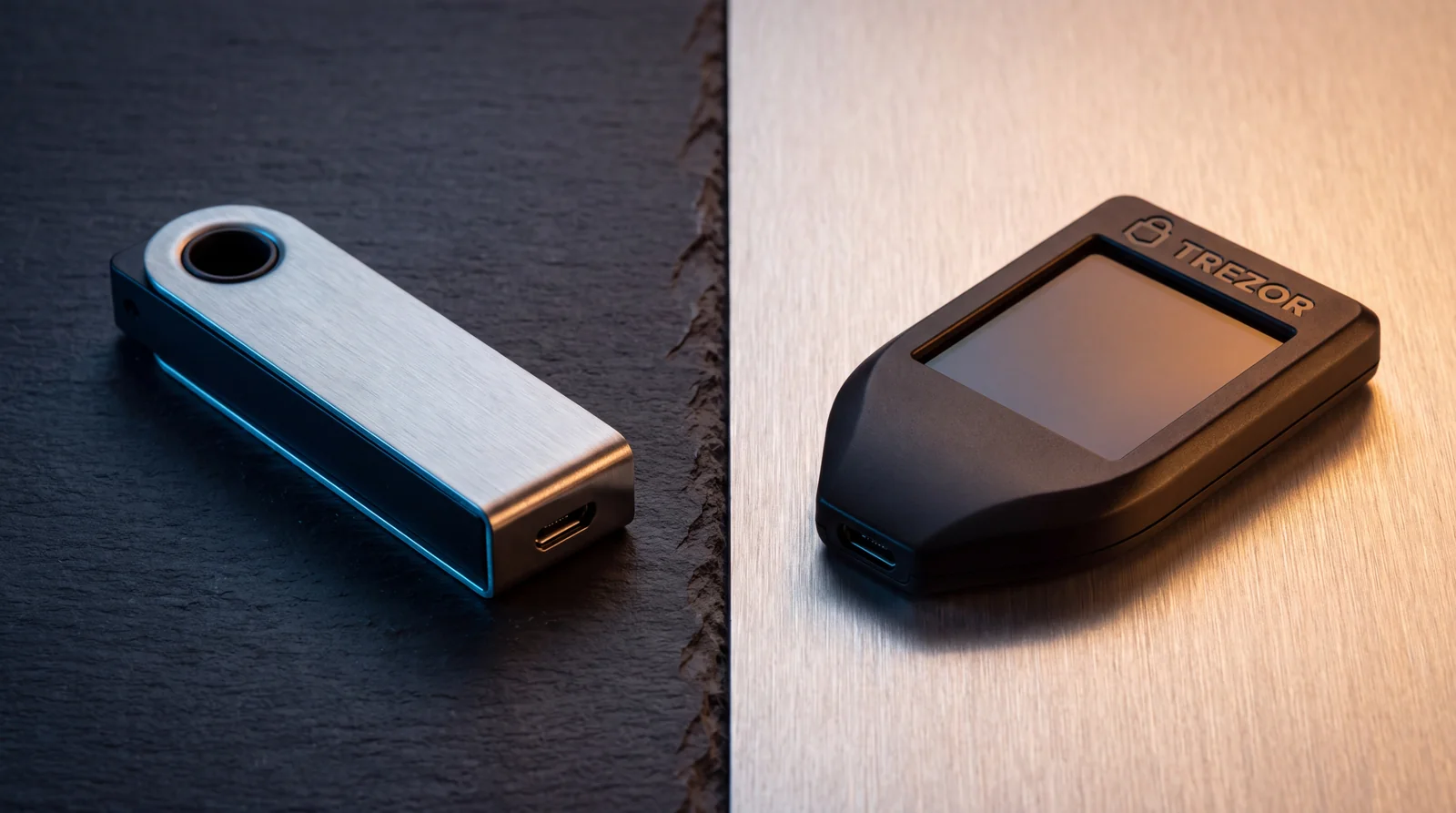
Feature comparison.

Feature Ledger Trezor
Secure element CC EAL5+ certified (ST33) No dedicated secure element
Firmware Closed-source (OS open-source) Fully open-source
Coins supported 5,500+ ~1,300+
Desktop app Ledger Live (macOS, Windows, Linux) Trezor Suite (macOS, Windows, Linux)
Mobile app iOS & Android iOS & Android
Third-party wallet support MetaMask, Rabby, Phantom, 50+ MetaMask, Exodus, Electrum
Staking Via Ledger Live Via Trezor Suite
Buy/sell in app Yes (via partners) Yes (via partners)
Bluetooth Ledger Nano X & Stax Trezor Safe 5
Seed phrase recovery Ledger Recover (optional) Standard seed backup

Pricing comparison.

Model Ledger Trezor
Entry-level Nano S Plus — €79 Safe 3 — €79
Mid-range Nano X — €149 Safe 5 — €169
Premium Stax — €279

Who each is best for.

Ledger is best for

  • Beginners who want the most polished setup and daily experience
  • Altcoin holders with diverse portfolios spanning many chains
  • Mobile-first users who want a great iOS/Android app
  • Users who value certified hardware security (EAL5+ chip)
Buy Ledger

Trezor is best for

  • Open-source advocates who want full firmware transparency
  • Bitcoin maximalists — Trezor is built by Bitcoiners, for Bitcoiners
  • Privacy-minded users who prefer no telemetry or cloud services
  • Users who prefer a simpler, no-app-per-chain experience
Visit Trezor

Frequently asked questions.

Which is more secure: Ledger or Trezor?
Both offer industry-leading security with EAL5+ certified secure elements (Ledger) and independent open-source firmware (Trezor). Ledger uses a proprietary secure chip (ST33) that is CC EAL5+ certified, while Trezor uses a general-purpose microcontroller with fully open-source firmware. For most users, both provide excellent security — the difference comes down to whether you prioritize certified hardware isolation (Ledger) or full firmware transparency (Trezor).
Does Trezor support more coins than Ledger?
Ledger supports over 5,500 coins and tokens through its Ledger Live app, while Trezor supports around 1,300+ via Trezor Suite. Ledger has a broader catalog, especially for lesser-known altcoins and tokens on chains like Solana, Cardano, and Cosmos. However, Trezor supports all major coins (Bitcoin, Ethereum, Litecoin, Dogecoin, etc.) and is often preferred by Bitcoin maximalists for its focus on Bitcoin-native features.
Can I use Ledger and Trezor with third-party wallets?
Yes, both work with third-party wallets. Ledger connects to MetaMask, Rabby, Phantom, and over 50 other wallets via Ledger Live. Trezor connects to MetaMask, Exodus, Electrum, and others via Trezor Suite. The experience is similar — you approve transactions on the device while the interface runs on your computer.
Which hardware wallet is easier to set up for beginners?
Ledger has a more polished onboarding experience with its Ledger Live desktop/mobile app that guides you through setup, installation, and transactions. Trezor Suite is also user-friendly but feels slightly more technical. Beginners tend to find Ledger Live more approachable, while users who prefer open-source software often gravitate toward Trezor.

Affiliate disclosure: Some links on this page are affiliate links — including the Ledger links. If you click through and make a purchase, AHCrypto may earn a commission at no additional cost to you. Trezor links are not affiliate links. We only recommend products we have tested and verified.